
UPDATING NEW GST 5% TO 18%

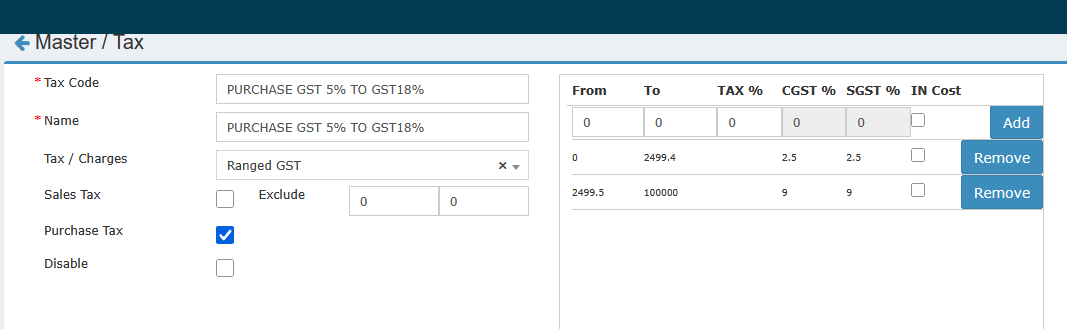
1. PURCHASE GST 5% TO GST 18% (for GRN entry)
Go to: Masters → Tax → Click New Then fill in these details exactly (no changes), and save.
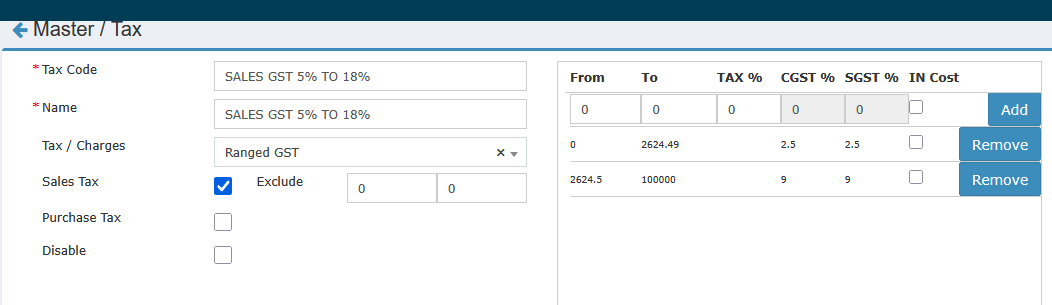
2. SALES GST 5% TO 18% (For Sales)
Go to: Masters → Tax → Click New Then fill in the same set of details (exactly as before), and save.
3. Change the 5% → 18% Tax for Needed Products
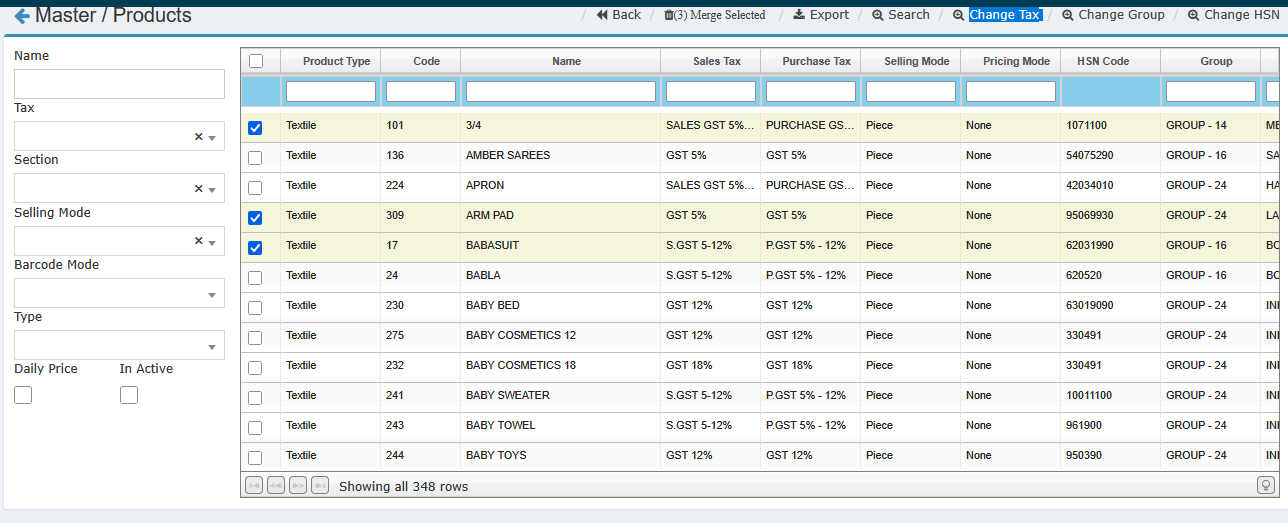
Go to: Masters → Products
Click the Search button twice to list all products.
Select the products for which you want to change the tax.
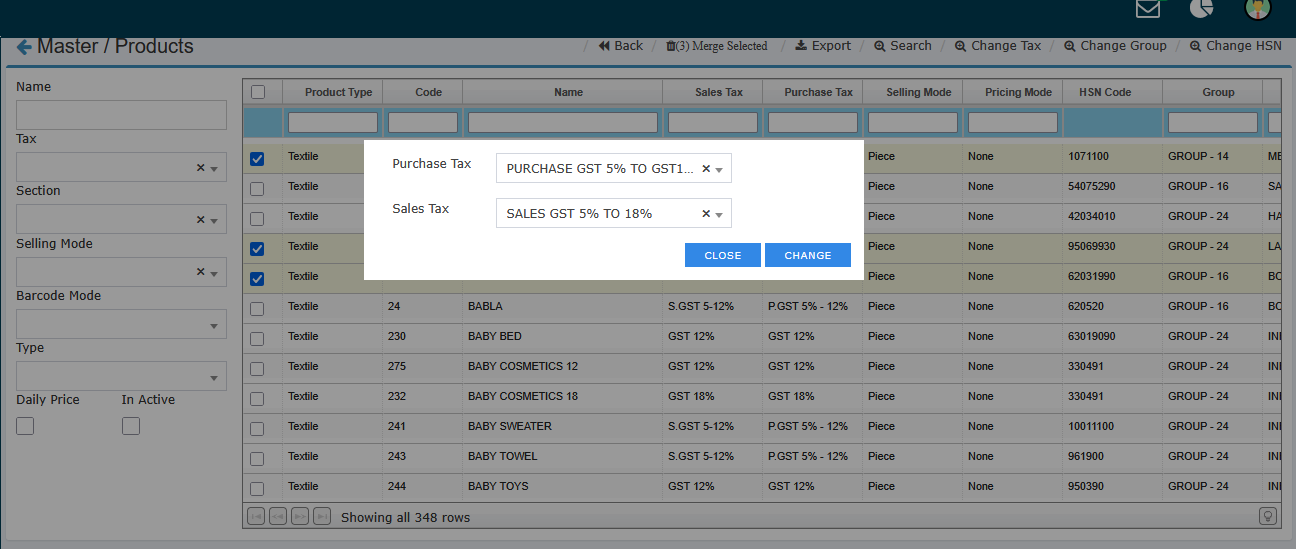
Use the "Change Tax" button.
Set both Purchase Tax and Sales Tax from GST 5% to GST 18% for these products as shown below.
4. GST Benefit Scheme
(This scheme is to show tax benefits to customers.)
Create a separate scheme.
Add all products that were moved from 12% down to 5%. WITH THE CONDITION OF SELLING PRICE RANGE BETWEEN 1050 TO 2625
Mention the “tax discount” according to advice from your auditor/consultant.
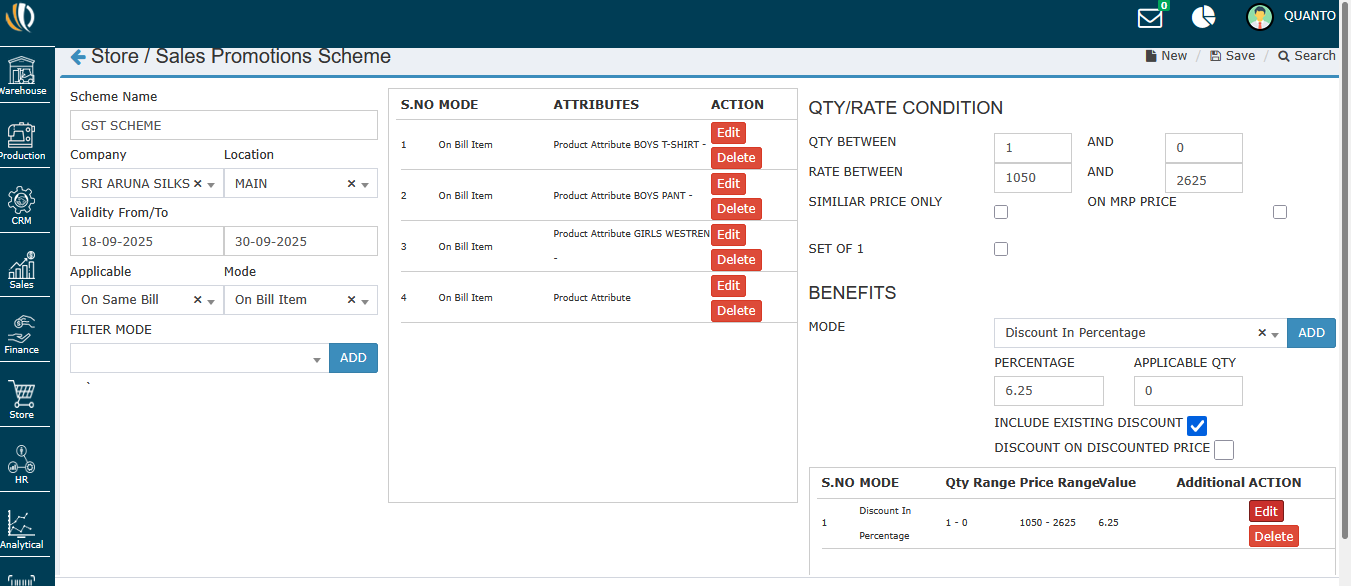
Note:
This is just a demo. The numbers used here (sale price, discount %, etc.) are samples. Use real figures per consultant/auditor guidance.